mlflow
MLflow is an open source platform for the complete machine learning lifecycle
Description
MLflow is an open-source developer platform to build AI/LLM applications and models with confidence. Enhance your AI applications with end-to-end experiment tracking, observability, and evaluations, all in one integrated platform.
<div align="center">



🚀 Installation
To install the MLflow Python package, run the following command:
pip install mlflow
📦 Core Components
MLflow is the only platform that provides a unified solution for all your AI/ML needs, including LLMs, Agents, Deep Learning, and traditional machine learning.
💡 For LLM / GenAI Developers
<table> <tr> <td> <img src="https://raw.githubusercontent.com/mlflow/mlflow/refs/heads/master/assets/readme-tracing.png" alt="Tracing" width=100%> <div align="center"> <br> <a href="https://mlflow.org/docs/latest/llms/tracing/index.html"><strong>🔍 Tracing / Observability</strong></a> <br><br> <div>Trace the internal states of your LLM/agentic applications for debugging quality issues and monitoring performance with ease.</div><br> <a href="https://mlflow.org/docs/latest/genai/tracing/quickstart/">Getting Started →</a> <br><br> </div> </td> <td> <img src="https://raw.githubusercontent.com/mlflow/mlflow/refs/heads/master/assets/readme-llm-eval.png" alt="LLM Evaluation" width=100%> <div align="center"> <br> <a href="https://mlflow.org/docs/latest/genai/eval-monitor/"><strong>📊 LLM Evaluation</strong></a> <br><br> <div>A suite of automated model evaluation tools, seamlessly integrated with experiment tracking to compare across multiple versions.</div><br> <a href="https://mlflow.org/docs/latest/genai/eval-monitor/">Getting Started →</a> <br><br> </div> </td> </tr> <tr> <td> <img src="https://raw.githubusercontent.com/mlflow/mlflow/refs/heads/master/assets/readme-prompt.png" alt="Prompt Management"> <div align="center"> <br> <a href="https://mlflow.org/docs/latest/genai/prompt-version-mgmt/prompt-registry/"><strong>🤖 Prompt Management</strong></a> <br><br> <div>Version, track, and reuse prompts across your organization, helping maintain consistency and improve collaboration in prompt development.</div><br> <a href="https://mlflow.org/docs/latest/genai/prompt-registry/create-and-edit-prompts/">Getting Started →</a> <br><br> </div> </td> <td> <img src="https://raw.githubusercontent.com/mlflow/mlflow/refs/heads/master/assets/readme-logged-model.png" alt="MLflow Hero"> <div align="center"> <br> <a href="https://mlflow.org/docs/latest/genai/prompt-version-mgmt/version-tracking/"><strong>📦 App Version Tracking</strong></a> <br><br> <div>MLflow keeps track of many moving parts in your AI applications, such as models, prompts, tools, and code, with end-to-end lineage.</div><br> <a href="https://mlflow.org/docs/latest/genai/version-tracking/quickstart/">Getting Started →</a> <br><br> </div> </td> </tr> </table>🎓 For Data Scientists
<table> <tr> <td colspan="2" align="center" > <img src="https://raw.githubusercontent.com/mlflow/mlflow/refs/heads/master/assets/readme-experiment.png" alt="Tracking" width=50%> <div align="center"> <br> <a href="https://mlflow.org/docs/latest/ml/tracking/"><strong>📝 Experiment Tracking</strong></a> <br><br> <div>Track your models, parameters, metrics, and evaluation results in ML experiments and compare them using an interactive UI.</div><br> <a href="https://mlflow.org/docs/latest/ml/tracking/quickstart/">Getting Started →</a> <br><br> </div> </td> </tr> <tr> <td> <img src="https://raw.githubusercontent.com/mlflow/mlflow/refs/heads/master/assets/readme-model-registry.png" alt="Model Registry" width=100%> <div align="center"> <br> <a href="https://mlflow.org/docs/latest/ml/model-registry/"><strong>💾 Model Registry</strong></a> <br><br> <div> A centralized model store designed to collaboratively manage the full lifecycle and deployment of machine learning models.</div><br> <a href="https://mlflow.org/docs/latest/ml/model-registry/tutorial/">Getting Started →</a> <br><br> </div> </td> <td> <img src="https://raw.githubusercontent.com/mlflow/mlflow/refs/heads/master/assets/readme-deployment.png" alt="Deployment" width=100%> <div align="center"> <br> <a href="https://mlflow.org/docs/latest/ml/deployment/"><strong>🚀 Deployment</strong></a> <br><br> <div> Tools for seamless model deployment to batch and real-time scoring on platforms like Docker, Kubernetes, Azure ML, and AWS SageMaker.</div><br> <a href="https://mlflow.org/docs/latest/ml/deployment/">Getting Started →</a> <br><br> </div> </td> </tr> </table>🌐 Hosting MLflow Anywhere
<div align="center" > <img src="https://raw.githubusercontent.com/mlflow/mlflow/refs/heads/master/assets/readme-providers.png" alt="Providers" width=100%> </div>You can run MLflow in many different environments, including local machines, on-premise servers, and cloud infrastructure.
Trusted by thousands of organizations, MLflow is now offered as a managed service by most major cloud providers:
For hosting MLflow on your own infrastructure, please refer to this guidance.
🗣️ Supported Programming Languages
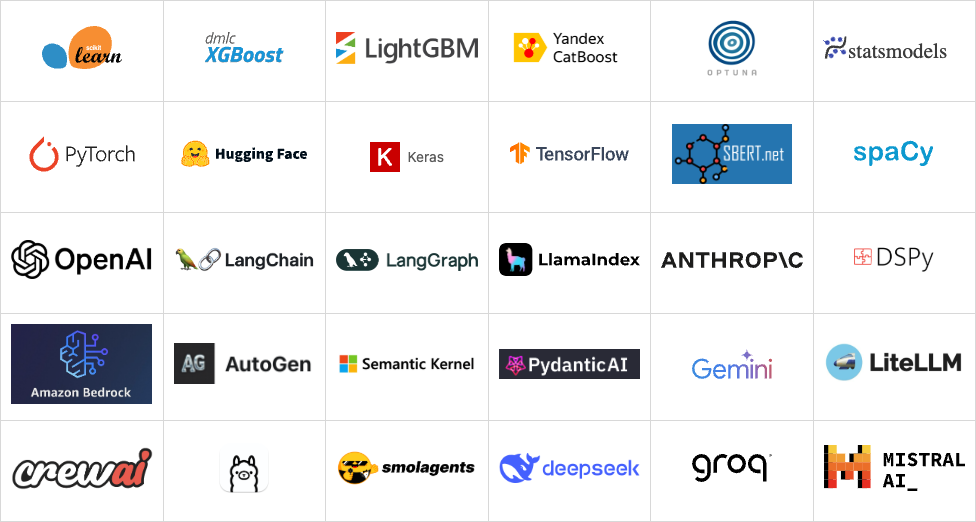
🔗 Integrations
MLflow is natively integrated with many popular machine learning frameworks and GenAI libraries.
Usage Examples
Tracing (Observability) (Doc)
MLflow Tracing provides LLM observability for various GenAI libraries such as OpenAI, LangChain, LlamaIndex, DSPy, AutoGen, and more. To enable auto-tracing, call mlflow.xyz.autolog() before running your models. Refer to the documentation for customization and manual instrumentation.
import mlflow
from openai import OpenAI

# Enable tracing for OpenAI
mlflow.openai.autolog()

# Query OpenAI LLM normally
response = OpenAI().chat.completions.create(
    model="gpt-4o-mini",
    messages=[{"role": "user", "content": "Hi!"}],
    temperature=0.1,
)
Then navigate to the "Traces" tab in the MLflow UI to find the trace records for the OpenAI query.
Evaluating LLMs, Prompts, and Agents (Doc)
The following example runs automatic evaluation for question-answering tasks with several built-in metrics.
import os
import openai
import mlflow
from mlflow.genai.scorers import Correctness, Guidelines

client = openai.OpenAI(api_key=os.getenv("OPENAI_API_KEY"))

# 1. Define a simple QA dataset
dataset = [
    {
        "inputs": {"question": "Can MLflow manage prompts?"},
        "expectations": {"expected_response": "Yes!"},
    },
    {
        "inputs": {"question": "Can MLflow create a taco for my lunch?"},
        "expectations": {
            "expected_response": "No, unfortunately, MLflow is not a taco maker."
        },
    },
]


# 2. Define a prediction function to generate responses
def predict_fn(question: str) -> str:
    response = client.chat.completions.create(
        model="gpt-4o-mini", messages=[{"role": "user", "content": question}]
    )
    return response.choices[0].message.content


# 3. Run the evaluation
results = mlflow.genai.evaluate(
    data=dataset,
    predict_fn=predi