policy-sentry
Generate locked-down AWS IAM Policies
Description
Policy Sentry
IAM Least Privilege Policy Generator.






Documentation
For walkthroughs and full documentation, please visit the project on ReadTheDocs.
See the Salesforce Engineering Blog post on Policy Sentry.
Overview
Writing security-conscious IAM Policies by hand can be very tedious and inefficient. Many Infrastructure as Code developers have experienced something like this:
- Determined to make your best effort to give users and roles the least amount of privilege you need to perform your duties, you spend way too much time combing through the AWS IAM Documentation on [Actions, Resources, and Condition Keys for AWS Services][1].
- Your team lead encourages you to build security into your IAM Policies for product quality, but eventually you get frustrated due to project deadlines.
- You don't have an embedded security person on your team who can write those IAM Policies for you, and there's no automated tool that will automagically sense the AWS API calls that you perform and then write them for you with Resource ARN constraints.
- After fantasizing about that level of automation, you realize that writing least privilege IAM Policies, seemingly out of charity, will jeopardize your ability to finish your code in time to meet project deadlines.
- You use Managed Policies (because hey, why not) or you eyeball the names of the API calls and use wildcards instead so you can move on with your life.
Such a process is not ideal for security or for Infrastructure as Code developers. We need to make it easier to write IAM Policies securely and abstract the complexity of writing least-privilege IAM policies. That's why I made this tool.
Policy Sentry allows users to create least-privilege IAM policies in a matter of seconds, rather than tediously writing IAM policies by hand. These policies are scoped down according to access levels and resources. In the case of a breach, this helps to limit the blast radius of compromised credentials by only giving IAM principals access to what they need.
Before this tool, it could take hours to craft an IAM Policy with resource ARN constraints — but now it can take a matter of seconds. This way, developers only have to determine the resources that they need to access, and Policy Sentry abstracts the complexity of IAM policies away from their development processes.
Writing Secure Policies based on Resource Constraints and Access Levels
Policy Sentry's flagship feature is that it can create IAM policies based on resource ARNs and access levels. Our CRUD functionality takes the opinionated approach that IAC developers shouldn't have to understand the complexities of AWS IAM - we should abstract the complexity for them. In fact, developers should just be able to say...
- "I need Read/Write/List access to
arn:aws:s3:::example-org-sbx-vmimport" - "I need Permissions Management access to
arn:aws:secretsmanager:us-east-1:123456789012:secret:mysecret" - "I need Tagging access to
arn:aws:ssm:us-east-1:123456789012:parameter/test"
...and our automation should create policies that correspond to those access levels.
How do we accomplish this? Well, Policy Sentry leverages the AWS documentation on [Actions, Resources, and Condition Keys][1] documentation to look up the actions, access levels, and resource types, and generates policies according to the ARNs and access levels. Consider the table snippet below:
<table class="tg"> <tr> <th class="tg-fymr">Actions</th> <th class="tg-fymr">Access Level</th> <th class="tg-fymr">Resource Types</th> </tr> <tr> <td class="tg-0pky">ssm:GetParameter</td> <td class="tg-0pky">Read</td> <td class="tg-0pky">parameter</td> </tr> <tr> <td class="tg-0pky">ssm:DescribeParameters</td> <td class="tg-0pky">List</td> <td class="tg-0pky">parameter</td> </tr> <tr> <td class="tg-0pky">ssm:PutParameter</td> <td class="tg-0pky">Write</td> <td class="tg-0pky">parameter</td> </tr> <tr> <td class="tg-0pky">secretsmanager:PutResourcePolicy</td> <td class="tg-0pky">Permissions management</td> <td class="tg-0pky">secret</td> </tr> <tr> <td class="tg-0pky">secretsmanager:TagResource</td> <td class="tg-0pky">Tagging</td> <td class="tg-0pky">secret</td> </tr> </table>Policy Sentry aggregates all of that documentation into a single database and uses that database to generate policies according to actions, resources, and access levels.
Tutorial
Installation
Package managers
- Homebrew
brew tap salesforce/policy_sentry https://github.com/salesforce/policy_sentry
brew install policy_sentry
- Pip
pip3 install --user policy_sentry
Shell completion
To enable Bash completion, put this in your .bashrc:
eval "$(_POLICY_SENTRY_COMPLETE=bash_source policy_sentry)"
To enable ZSH completion, put this in your .zshrc:
eval "$(_POLICY_SENTRY_COMPLETE=zsh_source policy_sentry)"
Step 1: Create the Template
- To generate a policy according to resources and access levels, start by creating a template with this command so you can just fill out the ARNs:
policy_sentry create-template --output-file crud.yml --template-type crud
- It will generate a file like this:
mode: crud
name: ''
# Specify resource ARNs
read:
- ''
write:
- ''
list:
- ''
tagging:
- ''
permissions-management:
- ''
# Actions that do not support resource constraints
wildcard-only:
  single-actions: # standalone actions
  - ''
  # Service-wide - like 's3' or 'ec2'
  service-read:
  - ''
  service-write:
  - ''
  service-list:
  - ''
  service-tagging:
  - ''
  service-permissions-management:
  - ''
# Skip resource constraint requirements by listing actions here.
skip-resource-constraints:
- ''
# Exclude actions from the output by specifying them here. Accepts wildcards, like kms:Delete*
exclude-actions:
- ''
# If this policy needs to include an AssumeRole action
sts:
  assume-role:
    - ''
  assume-role-with-saml:
    - ''
  assume-role-with-web-identity:
    - ''
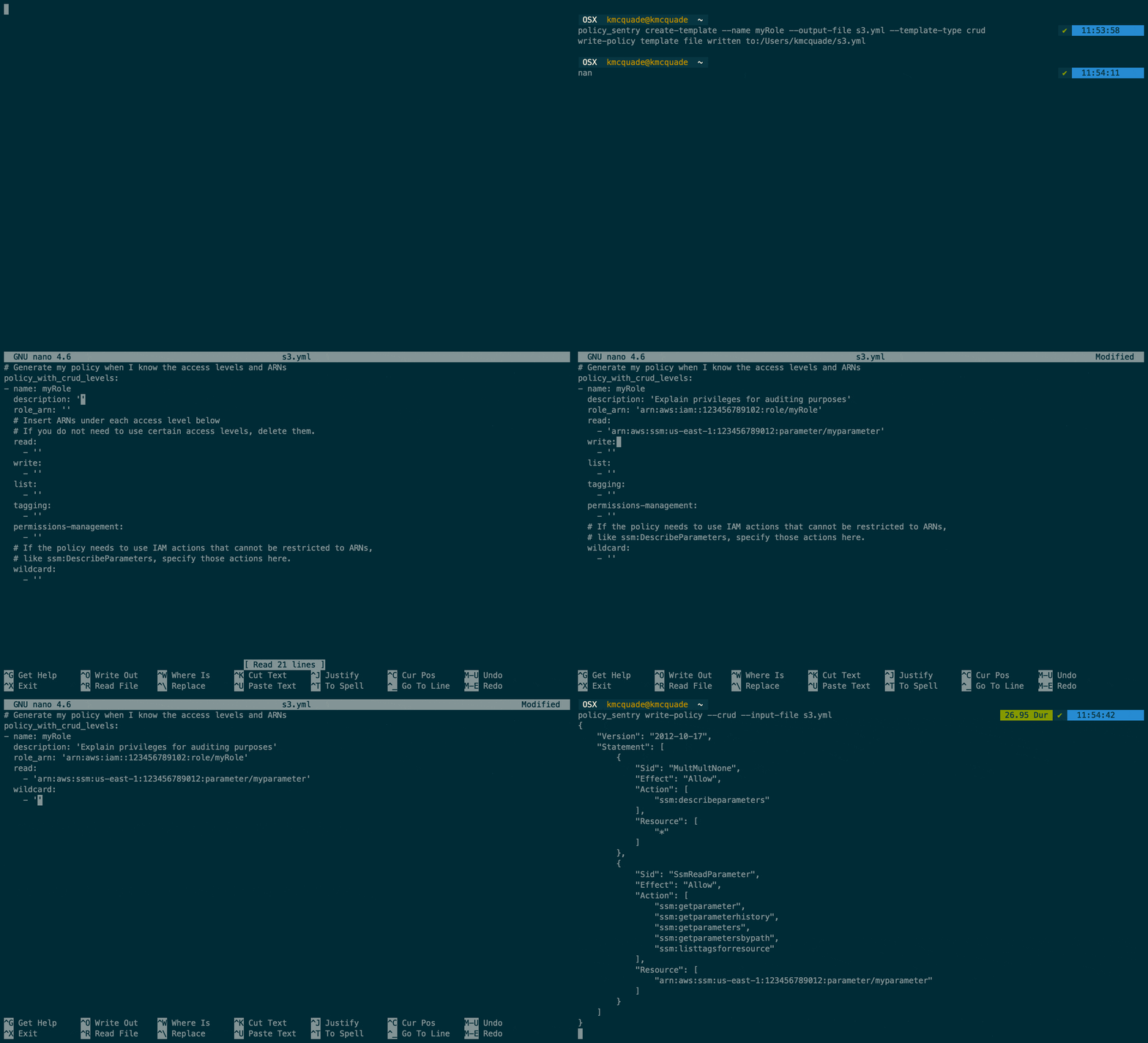
Step 2: Copy/paste ARNs
- Copy/paste the ARNs you want to include in your policy. You can delete lines that you don't use, or just leave them there.
mode: crud
read:
- 'arn:aws:ssm:us-east-1:123456789012:parameter/myparameter'
write:
- 'arn:aws:ssm:us-east-1:123456789012:parameter/myparameter'
list:
- 'arn:aws:ssm:us-east-1:123456789012:parameter/myparameter'
tagging:
- 'arn:aws:secretsmanager:us-east-1:123456789012:secret:mysecret'
permissions-management:
- 'arn:aws:secretsmanager:us-east-1:123456789012:secret:mysecret'
Step 3: Write-policy command
- Then run this command:
policy_sentry write-policy --input-file crud.yml
- It will generate these results:
{
    "Version": "2012-10-17",
    "Statement": [
        {
            "Sid": "SsmReadParameter",
            "Effect": "Allow",
            "Action": [
                "ssm:GetParameter",
                "ssm:GetParameterHistory",
                "ssm:GetParameters",
                "ssm:GetParametersByPath",
                "ssm:ListTagsForResource"
            ],
            "Resource": [
                "arn:aws:ssm:us-east-1:123456789012:parameter/myparameter"
            ]
        },
        {
            "Sid": "SsmWriteParameter",
            "Effect": "Allow",
            "Action": [
                "ssm:DeleteParameter",
                "ssm:DeleteParameters",
                "ssm:LabelParameterVersion",
                "ssm:PutParameter"
            ],
            "Resource": [
                "arn:aws:ssm:us-east-1:123456789012:parameter/myparameter"
            ]
        },
        {
            "Sid": "SecretsmanagerPermissionsmanagementSecret",
            "Effect": "Allow",
            "Action": [
                "secretsmanager:DeleteResourcePolicy",